Here’s what a strong IT security policy should include:
-
Access Control: Use multi-factor authentication and role-based permissions.
-
Data Protection: Encrypt data, back it up, and comply with GDPR.
-
Incident Response: Have clear steps for managing breaches within hours.
-
Compliance Framework: Stay aligned with NIS 2, GDPR, and ISO 27001 standards.
-
Client Education: Train clients on security best practices.
Quick Overview of Key Elements
| Component | Purpose | Key Focus |
|---|---|---|
| Access Control | Manage user permissions | Zero Trust, least privilege |
| Data Protection | Secure data handling | AES-256 encryption, GDPR compliance |
| Incident Response | Manage security breaches | Fast containment, clear communication |
| Compliance Framework | Meet legal requirements | GDPR, NIS 2, ISO 27001 |
| Client Education | Promote awareness | Regular updates, shared responsibilities |
Why it matters: 90% of MSPs report cyberattacks, and the average breach takes 277 days to contain. Implementing these policies protects your business and builds trust with clients. Keep reading for actionable steps and tools like Hypervault that simplify compliance and security management.
Developing a Cybersecurity Business Plan!
Key Elements of MSP Security Policies
It takes organisations an average of 277 days to identify and contain data breaches [4]. This staggering figure highlights the importance of having clear security policies in place, including well-defined team structures, strict access controls, and robust data protection standards. Let’s break down the essential components that ensure these policies are effectively enforced.
Security Team Structure
A solid security team structure helps clarify roles and responsibilities, ensuring accountability at every level.
| Role | Primary Responsibilities | Reporting Structure |
|---|---|---|
| Security Officer | Oversees policies, monitors compliance | Reports directly to CEO/Board |
| Security Analysts | Handles daily monitoring and incident detection | Reports to Security Officer |
| Client Security Liaisons | Manages client-specific security measures | Reports to Security Officer |
| Compliance Manager | Ensures regulatory compliance, prepares audits | Reports to Security Officer |
| Incident Response Team | Coordinates breach management and recovery | Reports to Security Officer |
"Policies are how you explain exactly what you do to keep data safe - to your employees, vendors, partners, customers, and auditors. They're a critical part of your security program and the backbone of your information security management system (ISMS)." - Emily Bonnie [2]
Access Control Rules
Access control policies are built on the Zero Trust principle, which assumes that every user is a potential threat until verified [5]. These rules are designed to minimise risk and limit unnecessary access.
- Authentication Standards
Use biometric verification to improve identity checks.
- Perform regular authentication reviews to ensure compliance.
- Privilege Management
Enforce the principle of least privilege, only granting access necessary for specific roles.
- Implement "just in time" (JIT) access to limit exposure to sensitive systems [6].
- Client Environment Separation
Use dedicated VPNs for each client.
-
Maintain isolated authentication domains and backup systems.
-
Keep client-specific access logs for accountability.
These access control measures create firm boundaries, laying the groundwork for secure data handling practices.
Data Security Standards
Under regulations like GDPR, maintaining strict data security standards is non-negotiable [1]. Here’s how to ensure compliance:
Encryption Requirements
-
Use AES-256 encryption for data at rest.
-
Secure data in transit with TLS 1.3 protocols.
-
Maintain separate encryption keys for each client to prevent cross-contamination.
Data Classification Framework
Data classification helps prioritise security measures based on sensitivity levels.
| Sensitivity Level | Security Requirements | Access Protocol |
|---|---|---|
| Critical | Full encryption, MFA, and audit logging | Requires Security Officer approval |
| Confidential | Encryption at rest and MFA | Requires team lead approval |
| Internal | Standard encryption | Requires department head approval |
| Public | Basic protection | No special approval required |
Regular audits and thorough documentation, as outlined in ISO 27001, are essential to maintaining these standards [3]. These practices ensure that data remains secure and compliant with global regulations.
Password Management Guidelines
Strengthening your IT security strategy starts with rigorous password controls, a critical addition to core security policies. With 80% of data breaches linked to compromised passwords - and 30% of those due to sharing, reusing, or mishandling them [7] - it’s clear that effective password management is a must.
Password Policy Requirements
Modern password policies now favour length over complexity, following the latest NIST guidelines [10]. Here’s a breakdown of essential requirements for Belgian MSPs:
| Requirement | Specification | Rationale |
|---|---|---|
| Minimum Length | 8 characters | Longer passwords reduce the risk of brute force attacks. |
| Complexity | Includes uppercase, lowercase, numbers, and symbols | Ensures passwords are harder to guess. |
| Expiration | Only when compromised | Avoids unnecessary resets while maintaining security. |
| Account Lockout | After 5 failed attempts | Protects against automated hacking attempts. |
| MFA Requirement | Mandatory for all accounts | Provides an additional security layer. |
To further improve password security, consider implementing these steps:
-
Automated Password Screening: Regularly check credentials against known compromised databases to avoid reusing exposed passwords.
-
Access Management Controls: Use Role-Based Access Control (RBAC) to ensure employees only access the resources they need.
-
Employee Training: Provide targeted training on password hygiene and security practices. This is already a practice for 92% of businesses [9].
Pairing these policies with centralised management tools can significantly boost your organisation’s security posture.
Password Management with Hypervault

Hypervault offers a centralised solution for managing client passwords and sensitive data, all while adhering to GDPR regulations. Its features include:
-
Secure Password Storage: End-to-end encryption protects passwords both at rest and in transit.
-
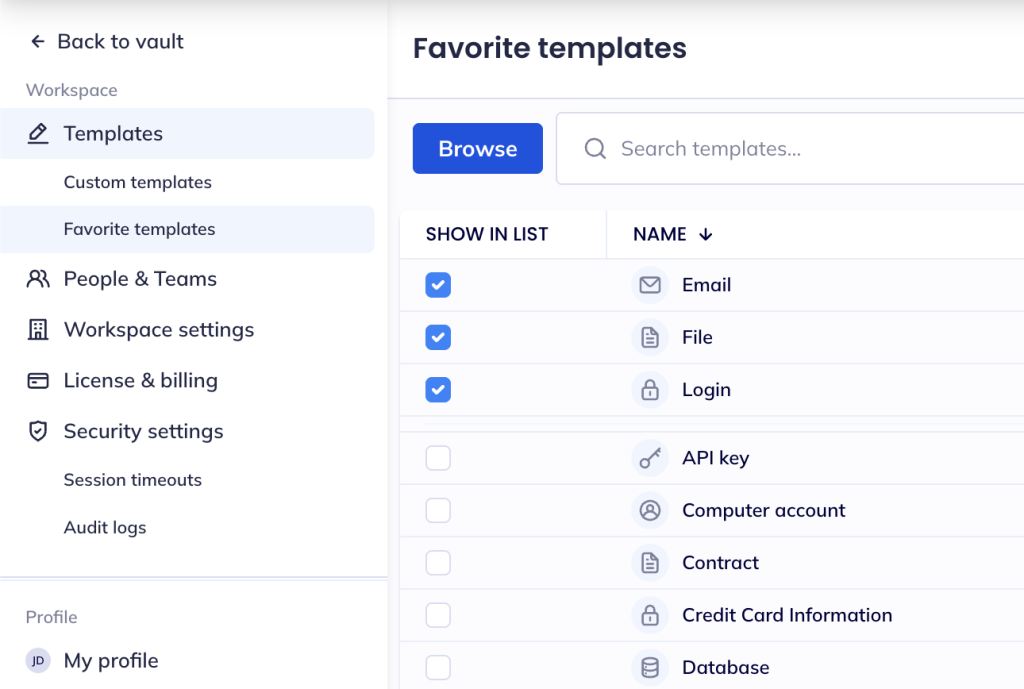
Custom Templates: Ready-to-use templates for logins, software licenses, API keys, and more.
-
Client Access Management: Allow clients access to dedicated workspaces without additional costs.
-
Audit Logging: Monitor all password-related activities for compliance and security purposes.
Hypervault also provides advanced security features, including:
| Feature | Security Benefit |
|---|---|
| Azure AD Integration | Simplifies identity management. |
| Multi-Factor Authentication | Adds an extra layer of verification. |
| Password Generator | Creates strong, unique passwords. |
| Access Controls | Enables detailed permission settings. |
| Activity Monitoring | Offers real-time oversight of security events. |
"What makes Hypervault stand out is the flexibility of how the data is stored. You don't only store passwords, you can store product keys, license information and pretty much any other sensitive information you'd like to be able to share securely." – Dragos N., Review from Capterra [8]
To keep your password security strong, make it a habit to regularly audit practices and update policies to address new threats and compliance demands. This proactive approach helps safeguard client data and ensures unauthorised access is kept at bay.
Security Incident Management
Effective incident management is key to reducing damage, downtime, and expenses while safeguarding operations for both MSPs and their clients.
Incident Response Steps
The incident response process is divided into four essential phases, each playing a critical role in managing and resolving security incidents:
| Phase | Key Actions | Timeline |
|---|---|---|
| Preparation | Monitor systems, set up threat detection, assign team roles | Ongoing |
| Response | Isolate incidents, analyse systems, contain damage | First 4 hours |
| Communication | Notify stakeholders, provide updates, brief clients | Within 24 hours |
| Learning | Conduct post-incident analyses, update policies, implement preventive measures | Within 7 days |
-
Initial Detection and AssessmentUse monitoring tools to quickly identify threats and log all relevant details, such as timestamps and affected systems. Research shows that automated detection tools can drastically speed up response times [11].
-
Containment and EradicationIsolate compromised systems to stop the incident from spreading. As Daria Yankevich, Partner Marketing Manager at ilert, explains: "A well-constructed response plan ensures that incidents are handled systematically. The best way to achieve this is not only having instructions on paper but conducting actual training sessions to simulate an incident" [11].
-
Recovery and ValidationBefore restoring operations, test and monitor recovered systems thoroughly. Keep detailed records of all remediation steps for both internal use and client reporting [13].
These steps not only help in resolving incidents but also ensure compliance with reporting standards and maintain clear communication with clients.
Belgian and EU Reporting Rules
MSPs in Belgium must adhere to GDPR and NIS2 Act requirements when reporting security incidents:
| Regulation | Reporting Deadline | Reporting Authority | Incident Type |
|---|---|---|---|
| GDPR | 72 hours | Belgian Data Protection Authority | Personal data breaches |
| NIS2 Act | 24 hours | National CSIRT | Significant system incidents |
"A data breach is when the personal data you are responsible for is disclosed, either accidentally or unlawfully, to unauthorised recipients or is made temporarily unavailable or is altered" [14].
To meet these obligations, MSPs should maintain detailed logs of incidents, use automated notification systems, establish clear reporting procedures, and document all communication efforts.
Client Communication Templates
Clear and timely communication with clients is critical after an incident has been contained and recovery is underway. Alex Markham, a cybersecurity consultant, stresses:
"This is not just a best practice - it's often a contractual or legal necessity" [12].
Standardised communication templates in English, Dutch, and French can streamline this process. These templates should include:
| Communication Type | Content Elements | Timing |
|---|---|---|
| Initial Alert | Incident description, immediate actions, expected impact | Within 1 hour |
| Status Updates | Progress updates, mitigation efforts, estimated resolution time | Every 2 hours |
| Resolution Notice | Root cause analysis, preventive measures, future recommendations | Within 24 hours |
Tools like Hypervault provide secure communication channels with end-to-end encryption, ensuring sensitive details remain protected while keeping clients informed throughout the incident resolution process.
sbb-itb-a5875d1
Policy Maintenance and Updates
Keeping policies up to date is crucial as threats evolve and regulations shift. In the EU, IT budgets are now allocating 9% to information security - a clear sign of the growing focus on cyber resilience [15].
Compliance Tracking Tools
Hypervault simplifies compliance monitoring, making it easier for Managed Service Providers (MSPs) to track adherence to key frameworks that impact Belgian organisations. Here's an example of how these frameworks align with their monitoring priorities:
| Framework | Monitoring Focus |
|---|---|
| NIS2 Law | Network security controls |
| GDPR | Data protection measures |
| CyberFundamentals | Basic security controls |
| ISO 27001 | ISMS requirements |
"Essential entities must also undergo regular assessments based on the CyberFundamentals or the ISO 27001 standard" [16].
Hypervault not only tracks configuration changes but also generates compliance reports that pinpoint gaps and recommend updates. This automated approach is faster and more effective than manual processes, helping organisations detect vulnerabilities and take corrective action promptly.
Regular Policy Updates
As cyber threats grow more sophisticated, regular policy updates are essential. Over the past year, vulnerability exploitation rose by 34%, yet only 54% of vulnerabilities were patched before they were exploited [17].
To stay ahead, consider these strategies for maintaining effective security policies:
-
Scheduled Reviews: Regularly review technical controls and policies. High-risk areas may require more frequent evaluations to ensure they remain secure.
-
Regulatory Monitoring: With Belgium fully implementing the NIS2 directive [16], keeping an eye on regulatory changes is critical. MSPs should maintain up-to-date documentation in areas like:
Security policies (e.g., access controls, incident response)
-
Risk assessments (including threat analysis and vulnerability scans)
-
Asset inventories (tracking system updates and configurations)
-
Compliance logs (audit trails and security event records)
- Implementation Verification: Automated monitoring tools are indispensable. On average, MSPs handle 11,000 security alerts daily [18]. Hypervault’s audit features can help by tracking policy enforcement, evaluating security controls, and documenting exceptions.
Hypervault’s automated scanning capabilities also uncover compliance gaps before they escalate into incidents. This aligns with the 69% of organisations that now see artificial intelligence as a critical part of their cyber defence strategy [18].
Conclusion: Implementing Your Security Policy
For managed service providers (MSPs), implementing a solid IT security policy isn't just a recommendation - it's a necessity. With 90% of MSPs reporting successful cyberattacks [22], having a well-structured and enforceable security framework is essential to protect not only your business but also the sensitive data entrusted to you. Here's how you can make that happen:
Standardisation and Automation
Consistency is key, and automation tools like Hypervault can make all the difference. For example, 80% of MSPs are now automating patch management [21], which helps tackle the challenges faced by 69% of small and medium-sized businesses (SMBs) struggling to juggle multiple security tools [19]. Automation ensures that policies are applied uniformly and reduces human error, which is often the weak link in security measures.
Employee Training and Awareness
People are often the first line of defence - and sometimes the weakest link. A striking 76% of breaches involve human error [23], and over one-third of employees admit their actions could lead to data breaches [20]. Regular training and awareness programmes are essential to minimise these risks. Educating your team on recognising phishing attempts, following best practices, and understanding the consequences of negligence can significantly bolster your organisation's security posture.
Continuous Monitoring and Assessment
In Belgium, compliance with regulations like NIS2 and GDPR is non-negotiable, especially when fines can exceed €2 million [1]. To meet these standards and mitigate risks, MSPs must actively monitor their systems and assess vulnerabilities. This proactive approach ensures you stay ahead of potential threats while maintaining compliance.
"MSPs are responsible for keeping their own data safe and securing the various kinds of sensitive data their partners trust them with. Data protection is critical to daily operations and maintaining the trust of current and future clients."
- ConnectWise [1]
Security isn't static - it evolves as threats do. As Brian Brammeier, Chief Information Security Officer at Ntiva, points out:
"Many businesses today will specifically seek out an MSP that they feel has done due diligence when it comes to their own cybersecurity." [24]