
Easily secure and manage your confidential data
The perfect balance between productivity and security. Hypervault is your one-stop solution for secure and efficient password management.
Designed for businesses of any kind, Hypervault offers a comprehensive suite of features that make password management a breeze.
Explore all features
One central platform to manage all your sensitive information.
Hypervault enables seamless collaboration within teams, with clients, and across supply chains. It's the go-to solution for managing secure data storage & transactions.
Management
of all your sensitive data
Forget sharing sensitive information by email. Store, manage and share any confidential business data in an encrypted environment.
Discover our Digital Vault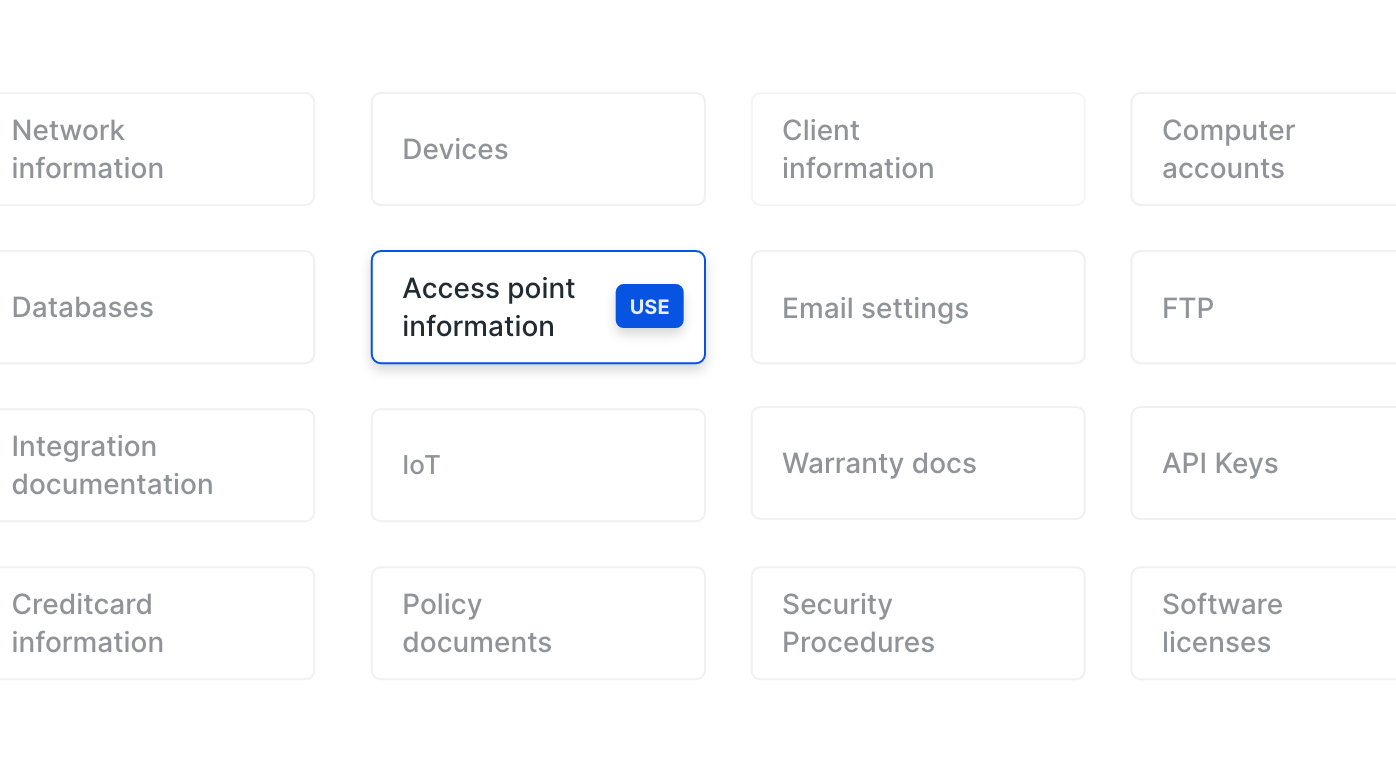
Effective password
management
Designed with businesses in mind, Hypervault offers a comprehensive suite of features that make password management a breeze.
Discover our Password VaultThree-in-one
Hypervault combines three powerful security solutions in one unified platform: a Password Manager to keep your credentials safe, a Digital Vault to store and share sensitive files, and Shield to protect your browsing experience. Everything you need for comprehensive data protection, all in one place.

Password manager
Everything to keep your passwords safe.
- Password vault
- Authentication & shared TOTP
- Autodetect & fill
- Custom fields
- And more...

Digital vault
Everything to keep & transfer your data safe.
- For all data types and attributes
- Data template builder
- Encrypted file storage
- Secure data exchange
- Emergency Kits
- And more...

Digital Shield
Everything to keep your browsing safe.
- Vault Security Dashboard
- In-app Password generator
- Password strength checker
- Automatic Sensitive field protection
Hypervault for every industry
Every organisation handles sensitive information — but the way you store, share and manage it makes all the difference. Hypervault brings your passwords, files and credentials together in one encrypted workspace so teams can work faster, stay compliant and maintain full control over access.
Managed Service Providers
Securely store client credentials, SSL keys and documents in one place. Give your team controlled access and save time on onboarding new clients.
Discover moreDevelopment & marketing agencies
Manage multiple client accounts without confusion. Store login details, brand assets and confidential files securely and access them instantly when needed.
Discover moreEducation
Safely handle student and staff data. Share sensitive information with colleagues or external partners while staying compliant with data regulations.
Discover moreHealthcare
Protect patient records and confidential documents with strong encryption. Control who can view or edit data across teams and departments.
Discover moreFinance
Keep financial data, reports and access credentials secure. Collaborate & organise information by client or project and maintain full visibility over usage.
Discover moreLegal & Law
Store contracts, case files and client information in an encrypted vault. Collaborate securely with partners while maintaining strict confidentiality.
Discover moreComplete Feature List
Explore all the powerful features that make Hypervault the comprehensive solution for secure password management and data protection.
Core Vault Features
Dual Vault System
- Workspace Vault:
Shared vault for team collaboration - Private Vault:
Personal vault for individual users - Enable or disable private vault:
Admins can turn private vaults on or off for the workspace
Vault Items
- Over 50 Data Categories
- Item Management (CRUD)
- Item Properties & Actions
- Bookmark & Tag items
Emergency Kits
- Store and share critical information with trusted contacts for emergencies.
Item & folder recovery
- Recover accidentally deleted items and folders from your vault.
iOS & Android app
- Access your vault securely on iOS and Android.
Authentication & Security
Data Encryption
- End-to-End Encryption
- AES-256-GCM Encryption
- Client-Side Encryption
- Folder-Level Encryption
Authentication Methods
- SRP (Secure Remote Password) Protocol
- Master Password
- Two-Factor Authentication (2FA)
- Active Directory Integration
- Session Management
Security Features
- Force 2FA
- Device Verification
- Session Extension
- Password Strength
- Trusted Devices
- Security Audit Logs
- Access Control
Workspace Management
Workspace Features
- Multi-Tenant Architecture
- Custom Domain
- Workspace Settings
- Workspace Roles
- Workspace Limits
- Branded vault:
Apply your company branding to the vault. Enterprise add-on: €29.99 / month or €349 / year
Workspace Configuration
- Company Information
- Workspace Domain
- Workspace Deletion
- Workspace Preparation
User & Team Management
User Roles
- Manager: Full administrative permissions
- Member: Standard user with editing capabilities
- Viewer: Read-only access
- External Member: External user with editing capabilities (invite up to 25 clients on Business & Enterprise)
- External Viewer: External user with read-only access (invite up to 25 clients on Business & Enterprise)
User Management
- User Invitations
- User Profiles
- Profile Status
- User Deletion
- Account Settings
Team Management
- Team Creation
- Team Members
- Team Folders
- Team Management
- Team-Based Access
External User Management
- External User Invitations
- External Access Control
- Invite up to 25 clients; extra clients €2 / month or €24 / year
- Client Collaboration
Organization & Structure
Zones
- Zone Creation: Create up to 10 zones per workspace (Manager only)
- Zone-Level Encryption: Independent encryption keys per zone
- Zone Access Control: Manage access at zone level
- Zone Organization: Top-level organizational units
Folders
- Folder Hierarchy: Up to 5 levels of nesting
- Unlimited Folders: No limit on folder creation
- Folder Management: Create, edit, move, delete folders
- Folder Access Control: Granular permission management
- Folder Tags: Categorize folders with tags
- Subfolder Organization: Nested folder structure
Folder Access Management
- User Access: Grant access to individual users
- Team Access: Share folders with teams
- External Access: Share with external users
- Access Inheritance: Subfolders inherit parent folder access
- Time-based Folder Access: Grant access for a specific period (with optional start/end time)
- Access Revocation: Remove access when needed
Templates & Customization
Standard Templates
- Predefined Templates:
50+ templates across 20 categories - Template Categories:
Accounting, Architects, Development, Events, Finance, General Business, Healthcare, Home Security, HR, Insurance, IT, Legal, Management, Marketing, Operations, Pharma, Real Estate, Sales, Security, Government - Template Browser:
Browse and discover templates - Template Preview:
View template structure before use
Custom Templates
- Template Builder:
Create custom item templates (Manager only) - Template Sections:
Organize fields into sections - Field Types:
Text, Password, URL, Email, Number, Dropdown, Textarea, Date, File - Template Management:
Edit and delete custom templates - Template Visibility:
Control which templates appear in create item list - Favorite Templates:
Mark templates as favorites
Import & Export
Import Features
- Import Sources:
1Password, LastPass, Dashlane, CSV files - Import Wizard:
Step-by-step import process - Import Validation:
Validate imported data - Import Preview:
Review items before importing - Import Errors:
Handle and report import errors - CSV Template:
Download CSV template for manual imports
Export Features
- GDPR Export:
Export personal data in compliance with GDPR - Data Export:
Export account information, profiles, device data - Export Format:
Structured JSON/ZIP format - Export Logs:
Track data exports (Manager only) - Workspace Export:
Export workspace data (Manager only)
Browser Extension
Extension Features
- Automatic Login:
Auto-fill usernames and passwords - Password Saving:
Save new logins from websites - Password Generator:
Generate strong, random passwords - Quick Access:
Access vault without opening web app - Multi-Workspace Support:
Switch between workspaces - Form Detection:
Automatic detection of login forms
Extension Capabilities
- Autocomplete:
Show available logins for websites - Save Login Modal:
Prompt to save new credentials - Password Generation:
Adjustable length (8-32 characters) - Extension Settings:
Configure extension behavior
Browser Support
- Chrome & Edge:
Full-featured extension for Chromium browsers - Firefox:
Available on Mozilla Add-ons - Cross-Browser:
Chrome, Edge, Chromium browsers, and Firefox
File Management
Secure File Storage
- File Attachments:
Attach files to vault items - End-to-End Encryption:
Files encrypted before storage
File Transfer
- Secure Upload:
Encrypted file transmission - Secure Download:
Decrypted file download - File Types:
Support for documents, images, certificates, etc.
Storage Management
- Storage Limits:
Plan-based storage limits - Storage Monitoring:
Track workspace storage usage
Search & Discovery
Search Features
- Global Search:
Search across all accessible items - Search History:
Track recent searches - Advanced Search:
Filter by category, folder, tags - Search Results:
Comprehensive search results display - Encrypted Search:
Search encrypted data securely
Discovery Features
- Bookmarks:
Bookmark frequently used items - Bookmarks Page:
Dedicated bookmarks view - Tag System:
Tag items for categorization - Tag Autocomplete:
Smart tag suggestions - Tag Management:
Create and manage tags - Item Filtering:
Filter items by various criteria
Notifications & Reminders
Expiry Reminders
- Expiry Date Tracking:
Set expiry dates on items - Reminder Intervals:
Configurable reminder intervals (in days) - Email Reminders:
Send expiry reminders via email - Reminder Recipients:
Custom email and name for reminders - Automatic Reminders:
Scheduled reminder notifications
Notification System
- Email Notifications:
Email-based notifications - Notification Preferences:
Configure notification settings - Item Expiring:
Notifications for expiring items - Access Notifications:
Notify about folder access changes
Billing & Subscriptions
Subscription Plans
- Individual Free
- Individual+
- Family
- Business
- Enterprise
- Trial Period:
14-day free trial for new workspaces
Billing Features
- Subscription Management:
View and manage subscriptions - Billing History:
Track billing and invoices - Plan Upgrades:
Upgrade/downgrade plans - Seat Management:
Manage workspace seats/licenses - Storage Upgrades:
Manage your workspace storage
Integration & External Services
Directory & Identity
- Active Directory Service:
Microsoft AD integration - Microsoft Graph API:
AD user synchronization
Authentication
- OAuth2/OpenID Connect:
Standard authentication protocols
User Provisioning
- SCIM Support:
SCIM access tokens for provisioning
Administration & Compliance
Administrative Features
- Workspace Administration:
Manage all workspaces - User Administration:
System-wide user management - Audit Logs:
Track system and user activities - Item Audit:
Track item modifications
Compliance Features
- GDPR Compliance:
GDPR-compliant data handling - Data Export:
Personal data export functionality - Data Deletion:
Secure data deletion - Privacy Controls:
User privacy settings - Export Logs:
Track data exports for compliance
Security Administration
- Security Audit Logs:
Comprehensive security event logging - Access Control Management:
Granular permission management - Device management:
See and manage the devices that access your workspace
User Experience Features
Interface Features
- Modern UI
- Responsive Design:
Mobile-friendly interface - Keyboard Shortcuts:
Power user shortcuts - Drag & Drop:
Intuitive file and item management - Context Menus:
Right-click context actions
Navigation Features
- Sidebar Navigation:
Easy navigation between sections - Breadcrumbs:
Navigate folder hierarchy - Quick Actions:
Fast access to common actions - Search Bar:
Global search access - Workspace Switcher:
Switch between workspaces
User Preferences
- Account Settings:
Personal account configuration - Profile Management:
Edit personal information
Collaboration Features
- Folder Sharing:
Share folders with users and teams - External Sharing:
Share with external users - Access Requests:
Manage pending access requests - Activity Tracking:
Track item modifications - Last Modified:
Show who last modified items
Productivity Features
- Bookmarks:
Quick access to favorite items - Tags:
Organize items with tags - Templates:
Quick item creation with templates - Bulk Operations:
Perform actions on multiple items - Copy URLs:
Copy item, folder, or zone URLs - Move Items:
Drag and drop item organization
Feedback & Support
- Feedback Widget:
Submit feedback and feature requests - Help Center:
Access to documentation - Support Tickets:
Contact support (if implemented) - Onboarding:
Guided setup for new users
Secure Links
Share credentials with non-users
- Protected links:
Share credentials securely via links from your vault - No recipient account required:
External recipients can open links without creating a Hypervault account
Request data and share via link
- Request & collect sensitive data:
Ask external parties for files or information through secure links - Advanced controls:
Expiration windows, optional OTP/access code, and one-time view protection
Powerful
Password Management Tools
Our vision is that every person and business should be able to achieve the highest protection for their data. To support that vision, we've created free tools to enhance your security and productivity.
Password Policy Template
Download our Password Policy template and make use of it in your business or organisation.
ExploreStrong Password Generator
Set strong and unique passwords for every account that you sign up for or replace your current password with a stronger one.
ExplorePassword Manager Comparison
Compare Hypervault to other password managers and digital vaults in the world.
Explore