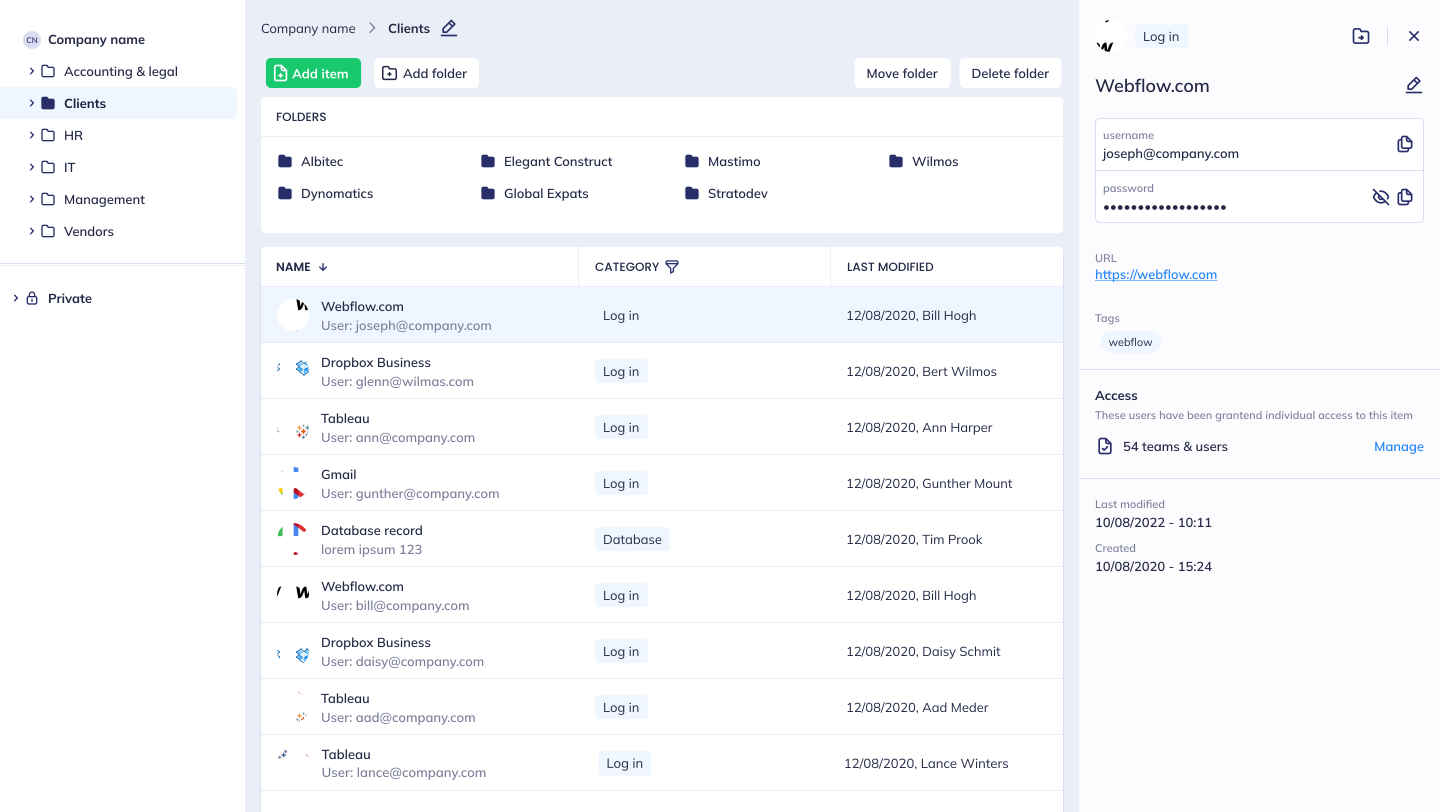
Did you know that in 2022, EU data protection authorities issued €1.64 billion in fines for data breaches? Weak or reused passwords caused 29% of these breaches. If you're running a business in the EU, proper password management isn't just smart - it's required under GDPR Article 32. Here's how to stay secure and compliant:
-
Set Strong Password Rules: Use passwords with at least 16 characters, include symbols, and avoid personal info or common phrases.
-
Enable Multi-Factor Authentication (MFA): Add an extra layer of security with authenticator apps, biometrics, or hardware tokens.
-
Store Passwords Securely: Encrypt passwords using AES-256 and follow GDPR-compliant storage practices.
-
Prepare for Breaches: Have a clear response plan to detect, contain, and report breaches within GDPR's 72-hour rule.
-
Use Central Password Systems: Manage credentials with tools that offer encrypted storage, access control, and EU-based data residency.
-
Train Your Staff: Regularly educate employees on creating strong passwords, using MFA, and spotting phishing attempts.
-
Review and Update Security: Conduct regular audits, monitor access, and test emergency procedures to stay ahead of threats.
Key takeaway: Effective password management not only helps you comply with GDPR but also protects your business from costly breaches and reputational damage.
1. Set Clear Password Rules
Strong password rules are essential for protecting data and meeting GDPR requirements. A well-defined password policy should cover these core areas:
Minimum Length and Complexity
-
Require passwords to be at least 16 characters long.
-
Include a combination of uppercase and lowercase letters, numbers, and special characters.
-
Recommend using passphrases made up of four or more unrelated words for added security.
Storage and Security
-
Encrypt and hash passwords using methods like B-Crypt.
-
Ensure system administrators cannot view passwords in plain text.
-
Follow GDPR-compliant storage practices to safeguard user data.
"Personal data must be processed in a manner that ensures appropriate security of personal data including protection against unauthorized or unlawful processing and against accidental loss, destruction or damage, using appropriate technical or organizational measures." - GDPR Article 32 [2]
Regular Updates and Account Screening
Regularly update password policies to prevent reuse and to check for compromised passwords. This step addresses vulnerabilities, as 29% of breaches are linked to weak or reused passwords [3]. Implement multi-factor authentication (MFA) for password resets to enhance security further.
Key Prohibitions
-
Avoid using dictionary words or common phrases.
-
Exclude personal information like birthdays or names.
-
Do not use sequential numbers or repeated characters.
-
Never reuse passwords that have been compromised.
Document these rules clearly and perform regular audits to ensure compliance. A consistent password policy forms the foundation for stronger security measures, such as multi-factor authentication and centralised access controls.
2. Use Multi-Factor Authentication
Multi-factor authentication (MFA) adds an extra layer of security by requiring additional verification steps, making it harder for unauthorised users to gain access. Below, we break down key MFA methods and tips for smooth implementation.
Core Authentication Methods
MFA relies on three main categories of verification:
-
Knowledge: Something you know, like passwords or PINs.
-
Possession: Something you have, such as mobile devices or hardware tokens.
-
Inherence: Something you are, like biometric data (fingerprints, facial recognition).
Implementation Strategy
It's important to balance security with usability. For example, you can use contextual authentication to allow trusted devices to skip extra steps for routine tasks. This keeps things secure without creating unnecessary friction.
Authentication Options
Different methods suit different security needs. Here's a quick comparison:
| Method Type | Security Level | Best Use Case |
|---|---|---|
| Authenticator Apps | High | Primary authentication |
| Hardware Tokens | Very High | High-value transactions |
| Biometrics | High | Device-level access |
| Push Notifications | Medium-High | Regular system access |
Integration with Single Sign-On
Combining Multi-Factor Authentication with Single Sign-On (SSO) simplifies access across multiple platforms while keeping security tight. This approach centralises authentication controls, making it easier to comply with regulations like GDPR.
Security Tips for MFA
-
Opt for authenticator apps instead of SMS for better security.
-
Enable adaptive authentication to adjust security based on the user's context.
-
Regularly review and audit MFA usage to ensure compliance.
-
Provide clear instructions and training on how to use MFA effectively.
"By requiring people to confirm identity in more than one way, multi-factor authentication provides greater assurance that they really are who they claim to be - which reduces the risk of unauthorized access to sensitive data." – RSA [4]
3. Meet GDPR Storage Requirements
Follow these steps to ensure password storage complies with EU regulations.
End-to-End Encryption Standards
Using end-to-end encryption keeps password data out of reach from unauthorised access. AES-256 bit encryption, a widely accepted standard, is commonly used to protect stored passwords and other sensitive information. Always encrypt data locally before sending it.
Zero-Knowledge Architecture
Zero-knowledge protocols guarantee that the system itself cannot access user passwords. This method strengthens data privacy and minimises the risk of potential internal threats.
Data Residency Requirements
To comply with GDPR, businesses must store password data within EU borders. This can be achieved through the following steps:
| Requirement | Implementation | Benefit |
|---|---|---|
| EU Server Location | Use EU-based data centres | Ensures data sovereignty |
| Data Transfer Controls | Apply strict protocols for transfers | Meets EU compliance standards |
| Geographical Redundancy | Maintain backups in multiple EU sites | Improves data availability |
These practices help ensure data stays local and facilitate thorough security audits.
Regular Security Audits
Conducting regular third-party security audits is critical for maintaining compliance. These audits should:
-
Confirm encryption methods are implemented correctly
-
Evaluate security protocols
-
Inspect access control measures
-
Document all compliance efforts
Pair these audits with technical safeguards to strengthen your overall security.
Technical Safeguards
Strengthen your security framework with these additional measures:
-
Encrypt data locally before transmission
-
Use secure backup systems located within the EU
-
Regularly apply security updates and patches
"We protect your business from password vulnerabilities, data breaches and other threats, and we continuously work with third-party security experts to make sure all secrets are safe." - Hypervault [5][6]
Documentation Requirements
Keep clear, organised records of your security measures, including:
-
Encryption methods
-
Data storage locations
-
Results from security audits
-
Breach response plans
-
Access control policies
4. Create a Breach Response Plan
Develop a plan to handle password-related breaches quickly and in line with GDPR standards.
Immediate Response Actions
When a breach is detected, follow these steps:
| Phase | Action | Timeline |
|---|---|---|
| Detection | Activate monitoring systems and IDS alerts | Immediate |
| Containment | Disconnect compromised systems | Within 1 hour |
| Assessment | Determine the breach's scope and impact | Within 4 hours |
| Notification | Inform authorities and stakeholders | Within 72 hours |
Notification Requirements
Make sure all notifications comply with GDPR's 72-hour reporting rule.
Investigation Protocol
Conduct a thorough investigation by reviewing logs, pinpointing compromised credentials, and identifying vulnerabilities. Clearly document your findings, including the breach's scope, its impact, and the actions taken to address it.
Documentation Guidelines
Maintain detailed records for future reference and compliance:
-
Breach Timeline: Note when and how the breach was discovered.
-
Impact Assessment: List affected systems and compromised data.
-
Response Actions: Record all steps taken to contain and resolve the issue.
-
Communication Records: Save copies of all notifications and correspondence.
These records are critical for post-incident analysis and improving future response strategies.
Communication Strategy
Clear communication is key after initial containment and documentation. Address the following groups:
-
Internal teams and employees
-
Data protection authorities
-
Affected customers and partners
-
Media outlets, if necessary
Post-Incident Analysis
Use the incident as a learning opportunity to strengthen your security measures. Conduct a detailed review to:
-
Identify the root cause
-
Update security protocols
-
Improve monitoring systems
-
Adjust response procedures
Regularly test and refine your breach response plan to ensure it’s effective and compliant with EU regulations. This proactive approach reduces risks and helps protect your organisation.https://app.seobotai.com/banner/inline/?id=sbb-itb-a5875d1
5. Use a Central Password System
A central password system is a key tool for improving security and simplifying credential management within your organisation. It helps ensure that sensitive information is managed securely and efficiently.
Key Security Features
When choosing a central password system, look for the following features:
-
Encrypted Storage: Passwords and sensitive data should be securely stored in an EU-based environment.
-
Access Control: Customisable permissions for teams and external collaborators.
-
SSO Integration: Simplified user authentication across platforms.
-
Automatic Autofill: Securely fills in credentials on various platforms.
-
Password Generation: Tools to create strong, hard-to-guess passwords.
All features should comply with EU data protection regulations.
Steps for Implementation
- Choose EU-Compliant Storage
Ensure the system uses servers based in the EU to comply with GDPR and avoid penalties [1].
- Set Up Access Levels
Define clear permission structures for different roles within your organisation:
| Access Level | Permissions | Use Case |
|---|---|---|
| Administrator | Full system control | IT managers |
| Department Head | Manage specific groups | Department leaders |
| Employee | Basic access | Regular staff |
| External | Limited access | Clients or vendors |
- Enable SSO Integration
Implement Single Sign-On (SSO) to streamline login processes while maintaining high security. Pairing SSO with multifactor authentication strengthens your overall security framework.
Best Practices for Security
To keep your organisation secure, follow these guidelines:
-
Regularly review access permissions and monitor system usage.
-
Maintain detailed logs of all access activities.
-
Use end-to-end encryption for sharing credentials.
-
Enforce strict password policies to minimise risks.
Collaboration Made Easy
A central password system should also support secure data sharing among:
-
Internal teams
-
Clients
-
Supply chain partners
-
External contractors
6. Train Staff on Password Security
Teaching employees about password security is a key step in safeguarding sensitive data and staying compliant with GDPR rules. With recent EU fines highlighting the financial risks of breaches, investing in staff training can help prevent costly mistakes.
Build a Clear Training Programme
Your training should cover the following key areas:
| Component | Focus | Frequency |
|---|---|---|
| Password Creation | How to create strong, unique passwords | Every 3 months |
| Security Awareness | Spotting phishing and social engineering scams | Monthly |
| GDPR Compliance | Understanding data protection rules and how to report breaches | Twice a year |
| Technical Tools | Using password managers and enabling 2FA | Initial training + updates |
Check also our Password Policy Template to get started easily
How to Roll Out the Training
Make training sessions practical and easy to understand. With 60% of organisations reporting cyberattacks [1], preparation is not optional - it's a necessity.
-
Evaluate Current Practices
Start by assessing your team's existing habits. Use surveys, audits, or compliance checks to identify gaps. -
Provide Hands-On Training
Teach employees how to use tools like password managers and two-factor authentication (2FA). A 2023 survey found that 84% of organisations now rely on password management software [1]. -
Keep Education Ongoing
Set up regular updates, run phishing simulations, and offer refresher courses to keep everyone sharp.
Track Progress and Enforce Policies
Measure the success of your training programme by monitoring completion rates, tracking reductions in security incidents, and conducting quarterly audits.
Tips for Effective Training
-
Make It Relevant: Include real-world examples from EU data breach cases.
-
Focus on Practical Advice: Teach actionable steps employees can take immediately.
-
Stay Current: Regularly update training materials to address new threats.
-
Measure Outcomes: Use metrics to evaluate improvements in security practices.
7. Check and Update Security Measures
Regular evaluations are crucial as cyber threats and regulations keep changing. By consistently reviewing your security practices, you can strengthen your password protection strategies and stay ahead of potential risks.
Set Up a Review Schedule
Establish a clear review schedule to focus on specific areas at appropriate intervals:
| Review Type | Frequency | Key Focus Areas |
|---|---|---|
| Quick Checks | Monthly | Ensuring password policies are followed and access rights are accurate |
| Technical Audits | Quarterly | Finding system vulnerabilities and verifying encryption methods |
| Full Assessment | Bi-annual | Reviewing GDPR compliance and overall security protocols |
| External Audit | Yearly | Getting an independent evaluation of your security measures |
Implement Continuous Monitoring
Use automated tools to keep an eye on key security indicators, such as:
-
Failed login attempts that occur repeatedly
-
Unusual access patterns
-
Breaches of password policies
-
Changes in system performance that might indicate issues
Document and Track Changes
Keep detailed records of changes to maintain transparency and compliance:
-
System Updates: Record modifications to password policies, access controls, and configurations, noting the dates and reasons for changes.
-
Incident Logs: Track incidents, responses, and outcomes to identify patterns and prevent future issues.
-
Regulatory Compliance: Stay updated on EU data protection regulations and adjust security measures as needed.
Automate Security Checks
Automated tools can simplify the process of maintaining security. Use them to:
-
Ensure passwords meet strength requirements
-
Confirm access controls are correctly set
-
Scan for new vulnerabilities in your system
Review Access Rights
Strengthen role-based access controls and ensure they remain current by:
-
Comparing active user accounts with employee records
-
Immediately revoking access for former employees
-
Regularly updating role-based permissions
-
Documenting all changes for compliance purposes
Measure Security Performance
Track these metrics to assess your security efforts:
-
Compliance with password policies
-
Rate of failed login attempts
-
Response times to security incidents
-
Completion rates for staff security training
These insights help identify weak spots and refine your security strategies.
Update Emergency Procedures
Ensure your emergency protocols are always ready by testing them regularly. Conduct:
-
Security drills
-
Simulated breach exercises
-
Team response training sessions
-
Reviews of recovery processes
Password Management Features
A strong password management system is essential for safeguarding sensitive business data while meeting GDPR requirements. By adhering to established best practices, these features help protect your organisation against cyber threats.
Here are the key elements for secure password management in EU businesses.
Core Security Features
Modern password management tools should prioritise these key security components:
| Security Feature | Purpose | Business Impact |
|---|---|---|
| Zero-knowledge Architecture | Ensures only authorised users can access encrypted data | Prevents unauthorised data access |
| AES-256 Encryption | Protects stored passwords | Secures critical business assets |
| EU Data Residency | Keeps data within EU borders | Ensures GDPR-compliant data storage |
| Multi-factor Authentication | Adds an extra layer of verification | Strengthens account security |
| Audit Logging | Tracks system activities | Supports monitoring and compliance efforts |
Data Management Capabilities
Efficient password management also depends on effective data handling features:
| Feature | Functionality | Business Benefit |
|---|---|---|
| Custom Fields | Define tailored data fields | Organises information based on business needs |
| Data Templates | Pre-configured formats for various data types | Standardises storage across teams |
| Unlimited Workspaces | Separate spaces for departments or clients | Improves organisation and access control |
| Document Storage | Secure storage for sensitive files | Centralises management of confidential documents |
| File Sharing | Securely share documents | Facilitates team collaboration |
Enterprise Integration
Smooth business operations rely on integration capabilities that enhance functionality:
| Integration Type | Implementation | Advantage |
|---|---|---|
| Microsoft Azure AD | User provisioning and management | Simplifies access control |
| Single Sign-On (SSO) | One-click access to authorised services | Enhances user experience and security |
| Browser Extensions | Quick access to credentials | Boosts productivity |
| Data Import Tools | Migration from other systems | Eases the transition process |
These tools ensure that operational efficiency aligns with your broader security goals.
"Protecting the confidentiality and integrity of key sensitive data whilst remaining legally compliant in every jurisdiction is our key mission." [7]
Compliance Tools
To meet GDPR standards, password management systems must include compliance-focused features:
| Compliance Feature | Function | Regulatory Benefit |
|---|---|---|
| EU Server Location | Stores data exclusively in the EU | Satisfies data residency requirements |
| Access Controls | Role-based permissions system | Ensures proper data access |
| Data Export | Facilitates complete data portability | Meets GDPR data rights obligations |
| Audit Trails | Provides detailed activity logs | Demonstrates compliance during audits |
These compliance tools integrate seamlessly with the security measures outlined above, ensuring your organisation remains protected and compliant.
Conclusion
EU companies face growing financial risks from data breaches [1]. Strong password management plays a key role in modern business security, with 84% of IT decision-makers now relying on password management tools at work [1].
The practices outlined earlier highlight how a well-planned password management approach goes beyond meeting regulatory requirements. It helps ensure GDPR compliance, safeguard sensitive information, improve operational efficiency, and reduce the likelihood of breaches.
"Organisations need to ensure the data they store and process is secure. One way to do that is to utilize an enterprise-wide password manager." [1]
Password management solutions that store data within the EU and use strong encryption provide an added layer of protection while meeting regulatory demands. Regular updates and staying alert to new threats are key to keeping your security measures effective.
Adapting your password management strategy as risks change is essential to protect your business and maintain trust.